


Release Note-v26.3
v26.3.0
September 01 2025


New Features
2nd order discritization for multi-phase model
– Until now, it was not possible to use a second-order discretization method for time when using multiphase flow models, but it is now possible to use the Crank-Nicolson method.
Change the mesh display method of baramFlow
– Introduced display controller similar to the one in Graphics report and baramMesh. Users can use the mouse to turn the display on or off for individual or multiple faces, as well as adjust their transparency and color, making it easier to analyze the mesh. See the image on the left at the top of the page.
Graphics report auto play
– A feature has been added that allows you to play the results as time progresses. See the image on the top right of the page.
Colormap legend Improvement
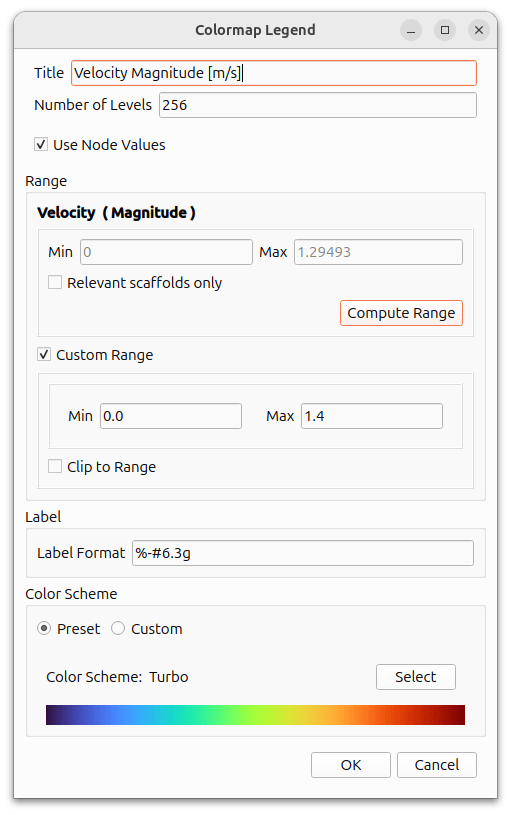
– You can specify formats using output format specifiers from the C++ `printf` family, such as `[%-#6.2g]`.
– Since ASCII characters are supported, a wide variety of input is possible, including units of physical quantities.
[baramMesh] Split surfaces of STL file
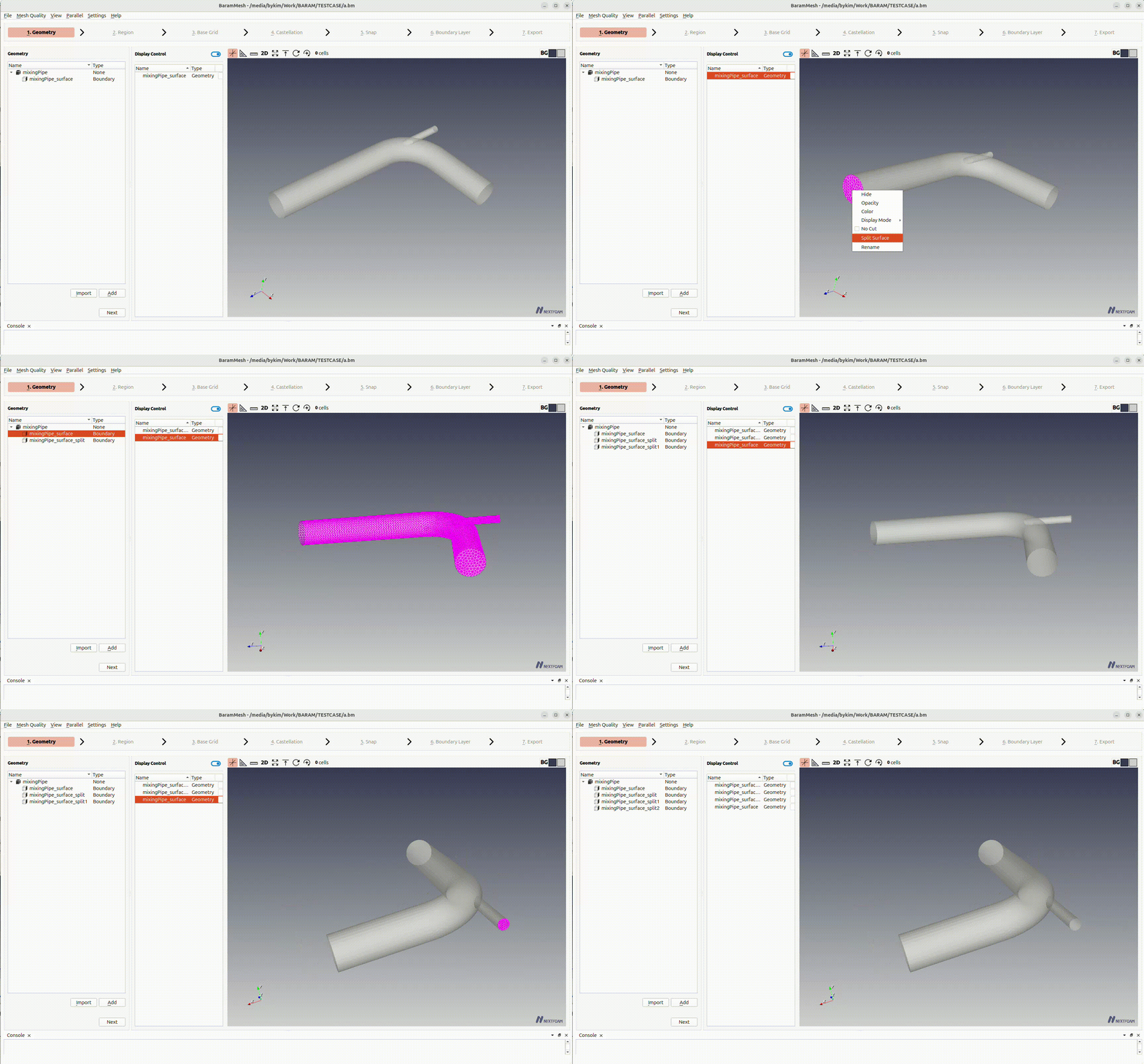
– While holding down the Shift key, you can use the mouse to separate a specific surface and create it as a separate boundary face. This eliminates the inconvenience of creating an unnecessary number of boundary faces when separating using the “Feature Angle”.
[baramMesh] Automatic detection of points within a volume when setting the region
– To address the inconvenience of selecting points within a region, a feature has been added that automatically selects the points inside a volume. This makes it easier to configure regions when there are a large number of them.

[baramMesh] Changing boundary name improvements
– You can now select multiple faces at once and rename them to a numbered list with the same name, and you can also select faces in the Rendering view to rename them.
Bug Fixes
- Bug fix for convergence criteria in the axisymmetric density-based solver
- We have resolved an issue where an unnecessary rhoUz residual was included in the convergence assessment, causing the solver to fail to satisfy the convergence criteria.
- Error message displayed when filenames contain spaces or non-ASCII characters in “Load Mesh” or “Save As”
- Fixed an error where calculations could not be performed on Windows when there were non-conformal region interfaces with different orders or shapes
- Fixed a bug where existing settings were lost when a new mesh was loaded
- Fixed an issue where, when converting a multi-region Fluent msh/cas mesh, not all cell zones were displayed on the screen when there were many cell zones
- Fixed an error in multiphase flow problems where incorrect values were output during mass flow monitoring/reporting because the volume fraction was not taken into account
- [baramMesh] Fixed a bug where STL files with uppercase file extensions did not appear
- [baramMesh] Fixed an error that occurred when the normal of an STL file was incorrect
- [baramMesh] Fixed an error that occurred when a surface name contained spaces
Etc
- Automatically save the background color of the Graphics Report window
- Display the coordinate axes in the rendering view by default
- [baramMesh] Change default values
- smoothing for surface in snap (nSmoothPatch) : 0→ 1
- Number of buffer cells in addLayer (nBufferCellsNoExtrude) : 0 → 1
- [baramMesh] Surfaces set to “Conformal interface” are automatically set to “cyclic” in baramFlow
- 용어 변경
- In the Actuator disk condition, disk direction → downstream direction
- In the ABL Inlet boundary condition, minimum z-coordinate → Ground-normal displacement height